English
 Русский
How to add a proxy to the MoreLogin anti-detection browser
If you bought a proxy from us, then before you start using it, you need to link the service to the IP address of the device with the anti-detect browser Dolphin. What this is and how to do it is told here.
MoreLogin is a fairly new but very interesting anti-detect browser. Its main difference is fully automatic fingerprint generation. At the same time fingerprints are not 100% unique (which is bad), but machine learning technology is used, thanks to which fingerprints are as natural as possible. Verification is carried out on more than 50 parameters. You can use the promo code "papaproxy" to get a 20% discount on plan activation.
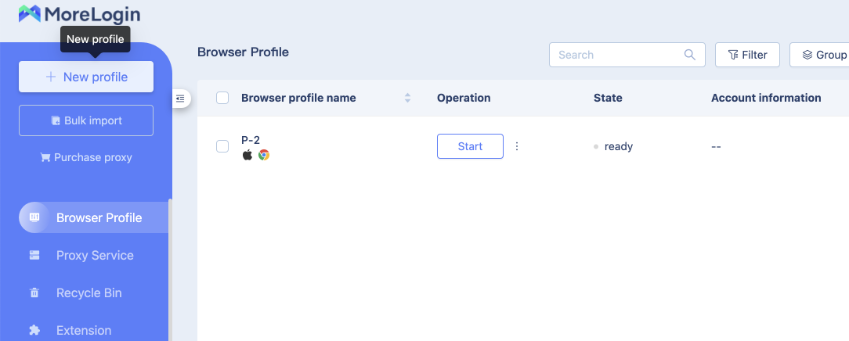
To get started and set up your proxy - you need to create a new profile.
Then go to the "Advanced create" tab and scroll down to the "Proxy settings" section.
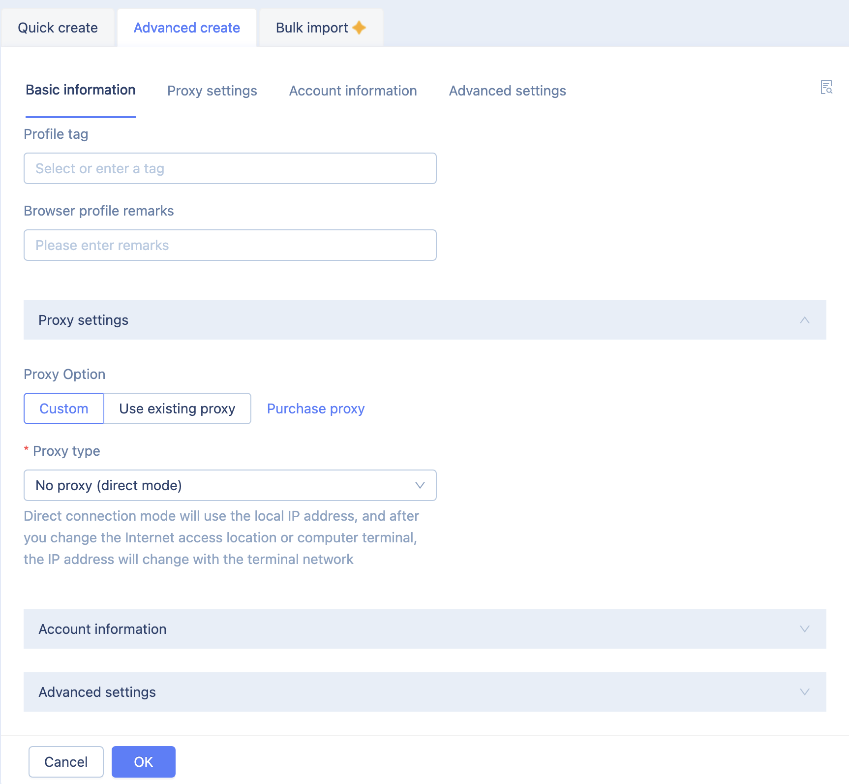
Now we need to choose which type of proxy to use - HTTP or SOCKS. For maximum anonymity I choose SOCKS5.
All the necessary information about proxies purchased from us you can see in your personal cabinet, in the services section - https://papaproxy.net/account_new/login?locale=en
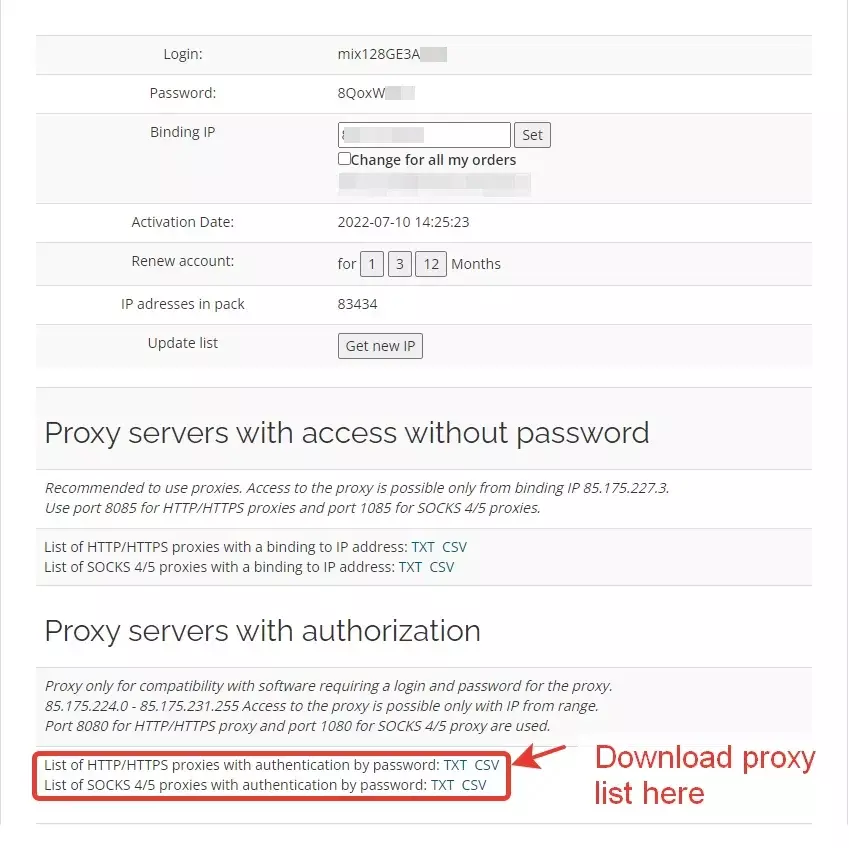
We recommend using a proxy with authorisation. Since we have chosen SOCKS5 for work and will use authorisation, our working port is 1080. Other port options are described on the page with your service package. Login and password for proxy connection you can find in our personal cabinet. Fill in all the necessary data.
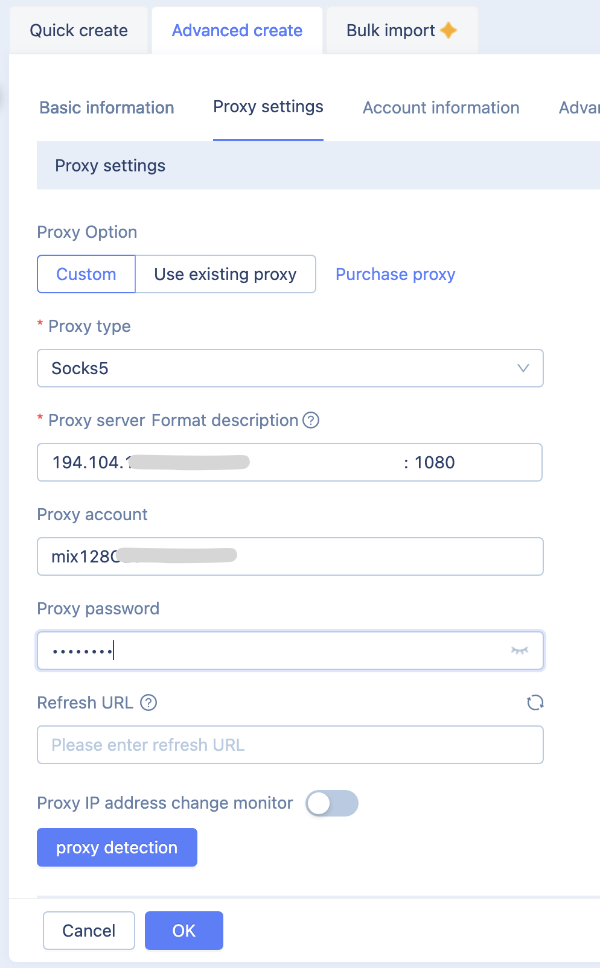
Click "Ok." That's it, your proxy is configured for this profile
If anti-detect browser incorrectly detects the country of proxy, then we recommend to read here why this is the case.
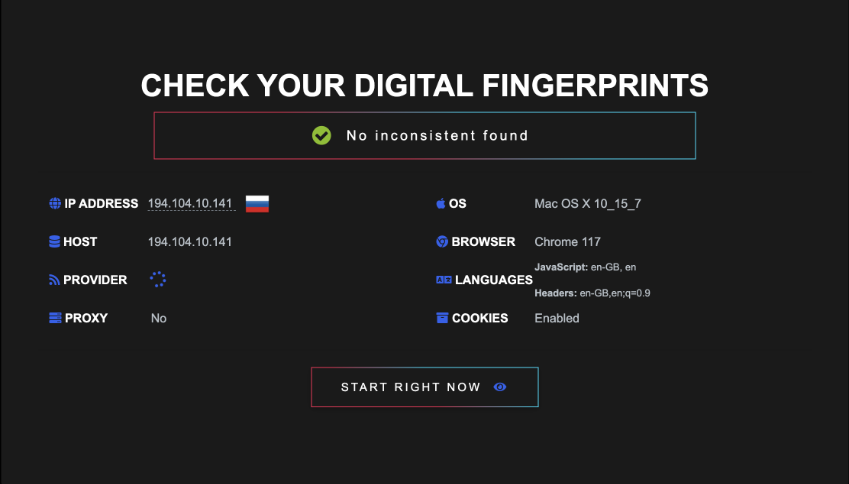
Other antidetect browser settings are set depending on your task. The profile is ready for use. Launch it, go to LeaksRadar, where we can see our changed IP and that all checks were successful.